
Open This First - Your Dashboard
Welcome in! You just did something real.
You invested in yourself, and Kim and I are genuinely glad you're here.
Now, take a breath. You don't have to learn everything today, and you definitely don't have to use it all at once.
This isn't a thing to be perfect at.
It's a set of skills that will be here whenever you need them, on the good days, the hard days, and the 2 am ones.
Here's the only thing you need to know to start:
Your dashboard is your home base.
When you log in, you'll see a quick snapshot of where you are and a simple menu of tools down the side. Everything else - the skills, the programs, the community, the library - branches out from there.
The 4-Week Starter Camp walks you through the whole dashboard one piece at a time, about ten minutes a day, so nothing feels like too much.
If you'd rather follow what's bugging you today, open Find a Skill and search for it. Both are right.
A few things to keep in mind as you settle in:
One step is enough. You're not behind. There's no schedule to fall off of — just the next small thing.
Save what works. When a skill lands, bookmark it. You're building a toolkit that's yours.
Come back often, not perfectly. Ten minutes a few times a week beats an all-or-nothing sprint.
That's it. Log in, glance at your dashboard, and take one step. I'll be right here, in your inbox and in the community.
You scrolling versus doom scrolling!
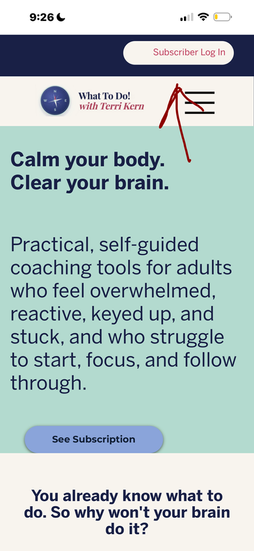
Getting Logged In




Subscriber Dashboard
The My Dashboard environment serves as your central hub for navigating the What To Do! program. This is your home base for skill practice. Everything you need lives here, organized so you always know what to do next — no hunting, no overwhelm.
When you feel overwhelmed or stuck, the dashboard is designed to reduce decision fatigue by presenting you with immediate, actionable choices.
Instead of scrolling through endless content, you are met with a simplified view that prioritizes your current mental state and your long-term progress.
The dashboard is divided into functional zones: the Skill of the Day, your saved library, and quick-access toolkits. Familiarizing yourself with these zones ensures that when you are "keyed up," you don't have to think about where to go; you simply follow the visual cues already in place.
What To Do! Community Stack — Your hub for everything beyond the tools: fresh skill articles, programs and live events, the community groups, and the digital library. When you want to read, learn, or connect, start here.
Daily Check-In — A few taps to name how you're feeling. Do it once a day and, over time, you'll see your own patterns take shape — which is the first step to actually working with your emotions instead of being run by them.

What Do You Want To Do Right Now — The fast lane. Tell it what's loud in this moment — racing thoughts, a hard conversation, can't focus, can't sleep — and it points you straight to a tool. No scrolling required.
Recommended Skills — A short, personalized shortlist so you're never staring at a blank page. We suggest the next skill worth trying, based on where you are.
Build Your Own Skill Stack — Assemble a small daily routine from the skills that work for you. This is how practice stops depending on willpower and starts running on a plan.

Progress This Week — Your streaks, your check-ins, your reps — proof that the small stuff is adding up. Watching it grow rebuilds the trust in yourself that got worn down.
Saved Skills — Everything you've bookmarked, ready to re-open the second you need it. Your personal toolkit, in one place.
Recently Opened Skills — Pick up right where you left off. No re-finding, no friction.

That's the whole dashboard.
Action: Open it, glance at where you are, and take one step.
Stop doomscrolling. Start you-scrolling.